MobileMondayMelb
  • Home
  • Andriod
  • business
  • Email Marketing
  • Gadgets
  • Internet
  • Mobiles
    • News & Advice
  • Reviews
  • Tablets
  • Technology
  • Webhosting
Home » Archives for
Yearly Archives

2024

business

The Benefits of Going Digital in Your Business

by MobileMondayMelb October 30, 2024
written by MobileMondayMelb

Upgrading to digital systems allows a small business to compete in the modern market. According to the experts at the software development firm Modest Development, software for small business is essential for this. Going digital represents an invaluable opportunity for businesses to future-proof themselves and unlock new levels of growth and success. Embracing digital transformation means companies can streamline processes, enhance customer experiences, and gain powerful insights to drive better decision-making. The digital era has ushered in a new frontier for businesses of all sizes to thrive.

What Does Going Digital Mean?

Going digital refers to incorporating software, web-based platforms, and automation into business workflows. It means moving manual paper-based processes onto computers and the cloud. Going digital improves efficiency, decision-making and communication through real-time data.

Benefits of Business Software

Dedicated software centralizes company information for coordinated productivity. Common programs like customer relationship management (CRM) software, inventory management systems and accounting software have built-in tools for:

  • Organizing contacts and sales pipeline data.
  • Tracking product stock levels.
  • Managing finances across departments.

Upgraded software tailored for niche industries can further optimize specialized tasks. The right software guides better business choices by providing insights from aggregated metrics.

Benefits of Cloud Computing

Cloud hosting involves storing data and software access on remote offsite servers. This allows secure universal access from any internet-enabled device. Cloud adoption provides advantages like:

  • Reduced on-site hardware needs lowering infrastructure costs.
  • Remote backup protecting valuable data.
  • Universal team access improving collaboration.

Using business intelligence cloud software combines capabilities for data analytics, reporting and planning. This gives real-time clarity into customer behavior and operational performance.

Benefits of Automation

Automating manual efforts allows staff redirection towards higher ROI activities requiring human insight and content creation. Intelligent automation offers advantages including:

  • Reduced human error rates improving quality.
  • Faster task completion meeting response demands.
  • Less wasted time on mundane duties.

Sales and marketing automation trigger personalized emails and social ads based on interests. Customer service chatbots quickly handle common inquiries. Accounting automation reconciles finances without spreadsheets.

Benefits of Website Design

An optimized responsive website works across all devices – desktop, tablets, and mobile phones. Websites allow customers to:

  • Learn about offerings and differentiators.
  • View catalog items and pricing 24/7.
  • Place orders conveniently.

Integrated customer portals can also provide self-service account access or live support messaging. Custom web design should focus on an intuitive user interface that makes finding information easy.

Benefits of Ecommerce Platforms

A dedicated ecommerce platform transforms websites into virtual shops. Customers can securely order items online through shopping cart flows connected to inventory and payment processors. Platforms enable:

  • Higher visibility to new audiences globally.
  • Tap-to-buy impulse purchasing.
  • Self-service without retail overhead.

They also compile analytics on bestselling items, customer demographics, popular pages, conversion rates and other metrics for maximizing sales.

Benefits of Digital Marketing

Digital marketing through email, social media, SEO and ads targets ideal buyer personas more accurately. Automated behavioral monitoring tools track interactions with campaigns to refine targeting over time. Perks involve:

  • Lower costs than traditional media.
  • Made-to-order audience segmentation.
  • Quantifiable campaign performance.
  • Integrations with CRM software allow personalized messaging using known customer data, like purchase history and special dates.

Conclusion

Digital transitions seem intimidating initially. However, the long-term benefits for scalability and operational efficiency outweigh any temporary growing pains. Many helpful resources exist for small businesses today, from online education materials to specialized service providers offering transition road mapping and implementation support. Prioritizing a digital upgrade empowers entrepreneurs to build their dream company unrestricted by old-school limitations. With the right digital strategy and tools, businesses can unlock untapped potential and gain a competitive edge in today’s digital landscape.

October 30, 2024 0 comment
0 FacebookTwitterPinterestEmail
business

Understanding Business Software Solutions

by MobileMondayMelb October 1, 2024
written by MobileMondayMelb

In the modern digital age, software plays a vital role in enabling business operations, productivity, and organizational growth. From core productivity tools and communications platforms to sophisticated industry-specific applications, these technologies have become indispensable assets for companies aiming to stay competitive.

Nonetheless, the sheer variety of software solutions available on the market can feel overwhelming, especially when it comes to selecting options properly tailored to your unique needs and budget constraints. 

Assessing Business Requirements

Before diving into evaluating software options, you first need to carefully assess your internal requirements. The folk at Opkalla tell us that having a solid grasp of those specifics allows you to filter and prioritize necessary features while avoiding over-investing in excess functionality you don’t actually require. For example, many software vendors offer varying Microsoft license types for different product tiers and user profiles.

Software Product Categories

From those specified needs, you can start evaluating categories of software aligning to the use cases. Common product segments include:

  • Productivity Suites (Office, Email, File Storage/Sharing).
  • Communications (Video Conferencing, VoIP, Messaging).
  • Sales and Marketing Automation.
  • Customer Relationship Management (CRM).
  • Business Intelligence, Analytics and Reporting.
  • Finance, Accounting and Invoicing.
  • Human Resources and Talent Management.
  • Project Management and Collaboration.
  • Process Automation and Workflow Management.
  • Industry-Specific Applications.

Within each segment, you will find various solution options from different vendors vying for your investment with differing strengths, deployment models, and pricing structures. Your needs assessment should guide you towards the products meriting deeper evaluation.

Consider Your Deployment Approach

As you research specific solutions, another key decision point is determining your preferred deployment model. On-premise solutions offer increased control and customization options, but they come with the added responsibilities of maintaining internal data centers, servers, IT resources, and performing periodic version upgrades. Cloud offerings leverage a subscription-based pricing model where the vendor manages hosting and seamless updates. A hybrid deployment blends both approaches across your application portfolio.

Small businesses and startups often gravitate towards the simplicity of public cloud solutions. Established enterprises with legacy systems and advanced requirements frequently opt for on-premises or hybrid deployments that bridge existing investments with cloud capabilities.

Overall Total Cost of Ownership

Software pricing goes well beyond just licensing fees. You must account for the full total cost of ownership, including hardware infrastructure, implementation services, ongoing support/maintenance subscriptions, user training enablement, integrations between platforms, data migration expenses, and internal staffing demands.

On one hand, seemingly affordable “out of the box” solutions often bring unexpected sustainability costs in terms of working around constraints and continual customization efforts. Tailored solutions may require higher upfront investments, but minimize those downstream expenditures aligning technology with your specific processes, data models, and integration points.

Many software providers offer flexible purchasing programs that let you bundle various components into consolidated contracts that provide better cost predictability over time. 

Evaluating Vendor Partners

Beyond sheer product capabilities, scrutinize the companies behind the software you’re considering. What is their reputation, customer satisfaction, innovation roadmap, and financial viability? Software purchasing means entering strategic long-term relationships.

Factor in the quality of customer onboarding and implementation services to ensure solutions get configured appropriately to maximize ROI from the start. Robust technical support plans sustain the investment’s productivity, while training and enablement resources accelerate user adoption.

Most importantly, you’ll want a partner consistently evolving to meet changing needs, both through dedicated software releases and direct feedback listening. Being just another revenue stream translates to misalignment over time.

Conclusion

Selecting the right business software solutions goes well beyond evaluating features on a datasheet. It stems from aligning tools optimally scoped to your specific needs, process requirements, budgets, and deployment preferences. Approaching the decision strategically means you set your organization up with productivity-boosting platforms built to scale for driving future growth and innovation.

October 1, 2024 0 comment
0 FacebookTwitterPinterestEmail
business

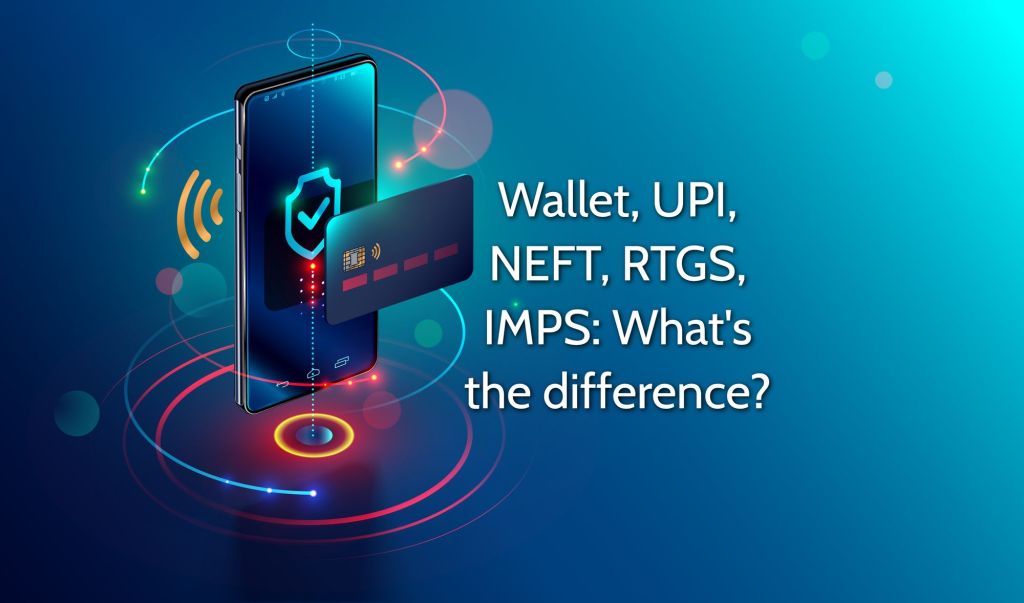
What is RTGS and is it better than UPI?

by MobileMondayMelb February 16, 2024
written by MobileMondayMelb

In the era of digital banking, various methods of online money transfers have emerged, providing convenience and security to consumers. Two popular methods of transferring funds in India are Real Time Gross Settlement (RTGS) and Unified Payments Interface (UPI). In this article, we will discuss what RTGS is, how it compares to UPI, and explore the advantages of using the Airtel UPI payment app. So, let’s dive in and understand these payment methods and which one might be better suited for your needs.


Understanding RTGS

Real-Time Gross Settlement (RTGS) is a fund transfer system used by banks in India for high-value transactions. The key features of RTGS include:

– High-value transactions: RTGS is designed for large transactions, with a minimum transfer amount of ₹ 2,00,000, according to the RBI.

– Real-time processing: As the name suggests, RTGS processes transactions in real-time, meaning the funds are transferred immediately, without any waiting period.

– Bank-based system: To use RTGS, both the sender and the receiver must have a bank account with a bank that offers RTGS services.


The UPI Alternative

Unified Payments Interface (UPI) is a mobile-based payment system that enables users to transfer funds instantly between bank accounts. Some features of UPI include:

– No minimum transaction amount: UPI allows users to transfer any amount, making it suitable for both small and large transactions.

– Instant transfers: UPI transfers are processed instantly, allowing users to send and receive money in real time.

– Accessible through mobile apps: UPI can be accessed through various mobile apps, such as the Airtel UPI payment app, making it convenient and easy to use.


Comparing RTGS and UPI

While both RTGS and UPI offer real-time money transfers, there are some key differences between the two systems:

– Transaction limits: RTGS is designed for high-value transactions, with a minimum transfer amount of ₹ 2,00,000, while UPI caters to transactions of any size.

– Accessibility: RTGS requires both the sender and receiver to have a bank account with a bank that offers RTGS services, whereas UPI can be accessed through mobile apps, such as the Airtel UPI payment app, by linking any bank account that supports UPI.

– Transfer time: Both systems offer real-time transfers; however, the RTGS transfer time might be slightly longer than UPI due to the involvement of banks in processing the transactions.

– Charges: RTGS transactions may incur charges depending on the bank and the transaction amount, while most UPI transactions are free of cost.

The Airtel UPI Payment App Advantage

Using the Airtel UPI payment app for your money transfers can offer several benefits, including:

– Easy setup: Linking your bank account to the Airtel UPI payment app is a simple process, allowing you to start making transactions quickly.

– Seamless transactions: The Airtel UPI payment app offers a user-friendly interface that makes sending and receiving money easy and hassle-free.

– Security: The app uses advanced security features to protect your transactions and keep your financial information safe.

Conclusion

In conclusion, both RTGS and UPI offer real-time money transfer options, catering to different transaction needs. While RTGS is best suited for high-value transactions and requires a bank account with a bank that offers RTGS services, UPI is more versatile, allowing transfers of any size and offering accessibility through mobile apps like the Airtel UPI payment app. Depending on your transaction requirements, either RTGS or UPI could be a suitable choice. However, for most day-to-day transactions and ease of use, UPI, with its mobile app accessibility and instant transfers, might be a more convenient option.

February 16, 2024 0 comment
0 FacebookTwitterPinterestEmail

Archives

  • October 2024
  • February 2024
  • October 2023
  • July 2023
  • May 2023
  • January 2023
  • December 2022
  • November 2022
  • September 2022
  • August 2022
  • July 2022
  • May 2022
  • April 2022
  • March 2022
  • February 2022
  • December 2021
  • November 2021
  • October 2021
  • September 2021
  • August 2021
  • July 2021
  • June 2021
  • May 2021
  • April 2021
  • March 2021
  • February 2021
  • January 2021
  • December 2020
  • October 2020
  • September 2020
  • July 2020
  • June 2020
  • February 2020
  • January 2020
  • November 2019
  • October 2019
  • August 2019
  • July 2019
  • May 2019
  • April 2019
  • March 2019
  • February 2019
  • January 2019
  • December 2018
  • November 2018
  • October 2018
  • September 2018
  • August 2018
  • July 2018
  • June 2018
  • May 2018
  • March 2018
  • June 2017
  • May 2017
  • April 2017
  • March 2017
  • February 2017
  • January 2017
  • December 2016
  • November 2016
  • October 2016
  • September 2016
  • August 2016
  • July 2016
  • June 2016
  • May 2016
  • April 2016
  • March 2016
  • February 2016
  • January 2016
  • December 2015
  • November 2015
  • October 2015
  • August 2015
  • July 2015
  • June 2015
  • May 2015
  • April 2015
  • February 2015
  • January 2015
  • December 2014
  • November 2014
  • October 2014
  • August 2014
  • May 2014
  • April 2014
  • March 2014
  • February 2014
  • January 2014
  • December 2013

Tablets

Tips On How To Successfully Deploy SD-WAN
by MobileMondayMelb
Top 5 Best Tablets For 2013
by MobileMondayMelb

Webhosting

VPS Hosting: An Introduction
by MobileMondayMelb
Points you should consider while selecting the domain name
by MobileMondayMelb

Categories

  • News & Advice
  • Mobiles
  • business
  • Email Marketing
  • Technology

Copyright © 2024 All Right Reserved  mobilemondaymelb

  • About Us
  • Contact Us
  • Cookies Policy
  • Privacy Policy
  • Write For US
MobileMondayMelb
  • Home
  • Andriod
  • business
  • Email Marketing
  • Gadgets
  • Internet
  • Mobiles
    • News & Advice
  • Reviews
  • Tablets
  • Technology
  • Webhosting